

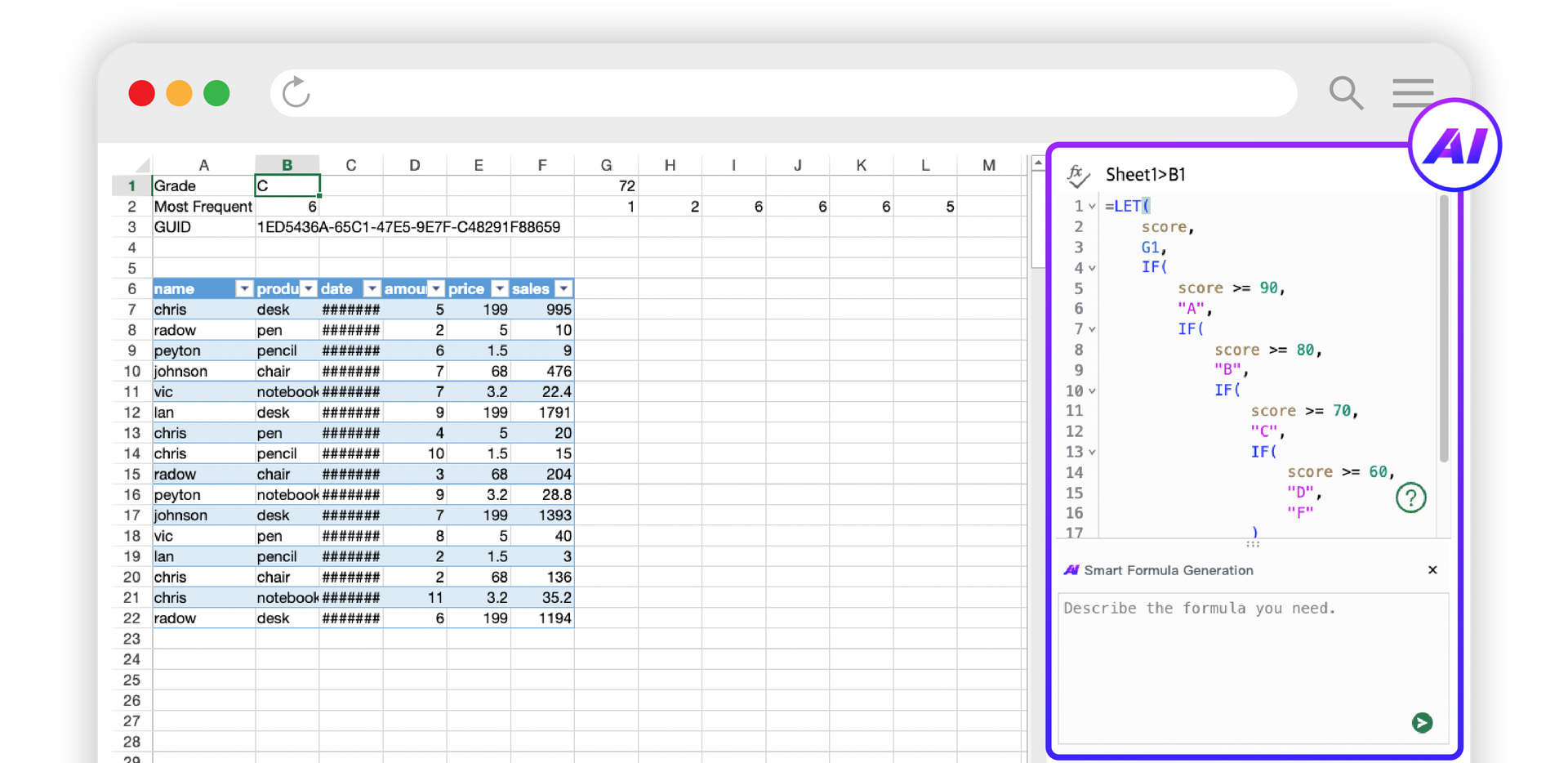
SpreadJS AI Assistant Core Features
A Natural Language-Powered AI Excel Workflow, All in One Place
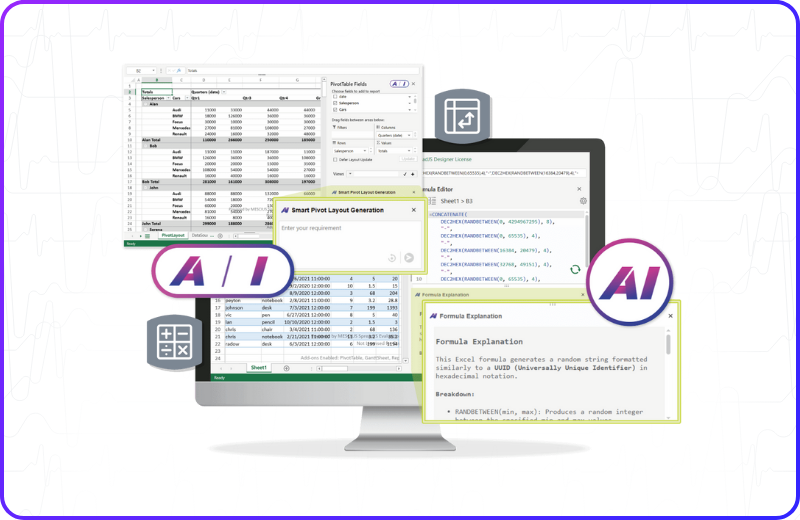
The SpreadJS AI Assistant enables Excel spreadsheets to understand natural language and integrate seamlessly into your business processes. From formula generation and data querying to translation, text sentiment analysis, and pivot suggestions, it delivers a consistent AI experience directly within your spreadsheet.

AI Formula Editor Panel
You can create and improve formulas within enterprise web applications using AI-based guidance with an intuitive UI. Clicking the AI button in the Formula Editor Panel opens an intelligent assistant that creates, explains, and modifies formulas in real time.
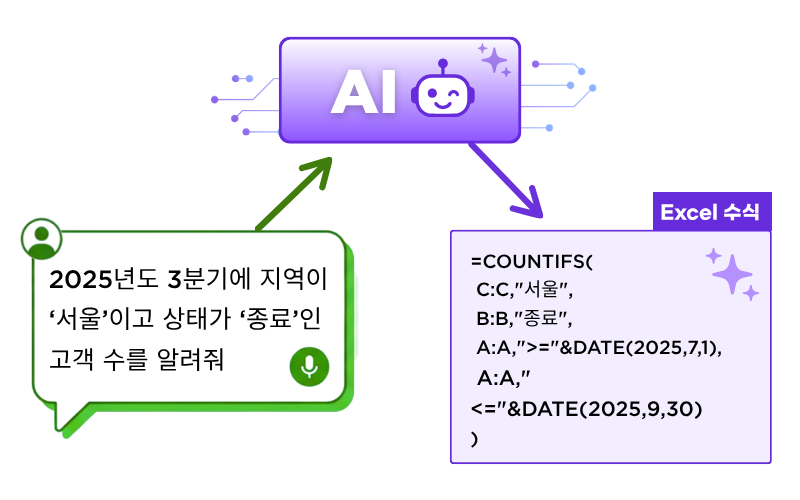
Automatic Excel Formula Generation
You can easily create complex Excel formulas using natural language input. Simply enter what you want to calculate, such as "sum of amounts" or "average of sales," and the AI assistant will automatically generate a formula in the correct format.
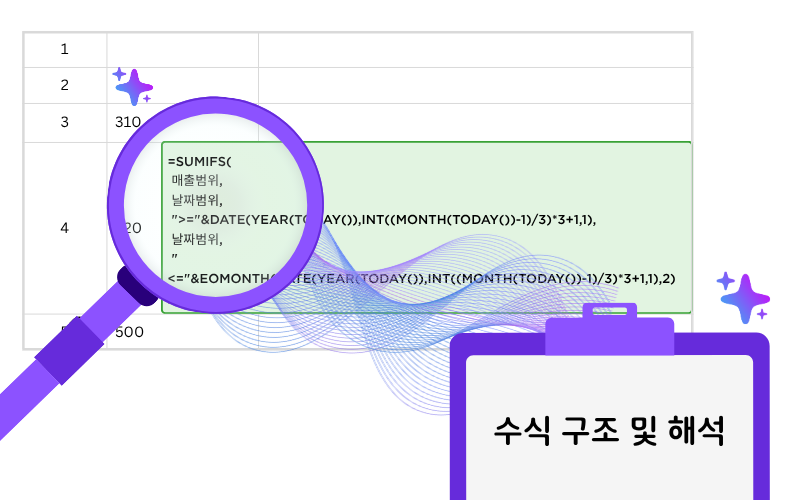
Explanation of complex formulas
SpreadJS's AI Formula Editor analyzes all formulas you enter or select. Clicking on a query provides an easy-to-read summary of the formula's purpose, a step-by-step analysis of the logic, and explanations of the functions and arguments.

AI Pivot Table Creation
We provide an AI Pivot Table Generation panel that simplifies pivot table creation using artificial intelligence. Instead of manually configuring fields and layouts, simply enter a common language request, such as "Display sales by car and quarter," and the AI will automatically generate a matching pivot table layout.
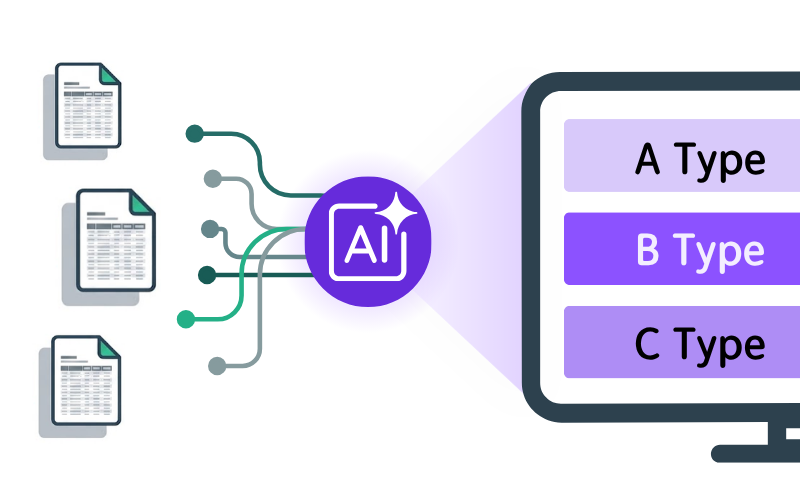
AI Pivot Table Suggestions
The AI Pivot Table Suggestions feature automatically generates intelligent pivot table layout options to help users explore data more efficiently. Clicking the AI Suggestion button provides three recommended layouts based on your dataset.

AI Analysis Panel
SpreadJS AI-Assistant's AI analytics panel adds powerful context-aware data interpretation to JavaScript pivot tables. Clicking the 'I' button provides access to an AI-based analytics interface where you can ask questions such as, "Who recorded the highest sales in the third quarter?"

SJS.AI.QUERY
You can interact directly with AI models within the spreadsheet. By passing cell values or ranges as input, you can generate intelligent responses, perform complex data transformations, or derive insights based on existing data.
SJS.AI.TRANSLATE
You can perform fast AI-based translation directly within the spreadsheet. By specifying the target language, this function can translate a single value or an entire array with high accuracy and natural language fluency.
SJS.AI.TEXTSENTIMENT
It provides AI-based sentiment analysis directly into spreadsheet web apps, allowing users to instantly evaluate the tone of text data. You can apply this function to cell content to classify input as positive, negative, or neutral.
Experience the SpreadJS AI Assistant Right Now.
Try out the AI Assistant features firsthand with a 14-day free trial and see everything it has to offer.




SpreadJS AI Assistant Online Demo & Video
Features available in the demo
Everything About the SpreadJS AI Assistant
Experience the AI Assistant features firsthand through videos and an online demo!
- AI-powered formula generation
- Step-by-step explanation of existing and newly generated formulas
- AI-based pivot table layout generation
- Pivot table analysis requests
- SJS.AI.TRANSLATE function: Translate to a specified language
- SJS.AI.QUERY function: Query results from an AI model
- SJS.AI.TEXTSENTIMENT function: Return text sentiment (positive/negative/neutral)
▲ 동영상 썸네일을 눌러 바로 영상을 확인해 보세요.
SpreadJS AI Assistant Quick Start Guide
SpreadJS AI Assistant Quick Start Guide 🚀
Follow the quick start guide to easily build a SpreadJS AI assistant feature in under 10 minutes.
Frequently Asked Questions
SpreadJS AI Assistant FAQ
ind answers to common questions about how the SpreadJS AI Assistant uses AI and handles your data.
Diverse Enterprise Business Features Powered by SpreadJS
Explore the Business Excel Add-Ons for SpreadJS
SpreadJS provides Excel-based features tailored to diverse enterprise business needs, enabling fast and efficient development of even the most complex business systems.

Excel Editor
Deliver a complete web Excel editor built on HTML5 and JavaScript to your end users.
-
Full Excel Compatibility A web editor that is fully compatible with existing Excel files.
-
Familiar UI/UX Excel menus and interface your users already know
-
Powerful Customization JS Excel library and API support for editor customization

Real-Time Collaboration
Build an environment where multiple users can collaborate on a single sheet simultaneously.
-
Server Framework Build a stable Collaboration server based on Node.js
-
Real-Time Collaboration Multi-user simultaneous input with live user action and cursor display
-
Conflict Prevention Precise conflict control and permission management powered by OT engine

Pivot Table
Quickly summarize large volumes of Excel data and extract insights.
-
Excel-Like Experience Bring the same pivot UI and usability as Excel to the web
-
JS Control Set Custom controls for pivot UI customization
-
View Manager Save and load per-user pivot analysis views

Gantt Sheet
Integrate project scheduling and resource management into your Excel sheet.
-
Project Management Full support for timescales, task bars, calendars, and more
-
Data Binding Easy data binding via DataManager
-
Flexible Compatibility Import/export support based on Excel and JSON

Report Sheet
Transform complex business data into dynamic Excel reports.
-
Dynamic Reporting JSON-based data binding and automatic report generation
-
Professional Styling Consistent report layouts with precise formatting
-
Advanced Analytics Cross-sheet references and data aggregation support

Data Chart
Visualize Excel data and create intuitive dashboards.
-
Dashboard Designer A dedicated designer for building Excel dashboards without coding
-
Diverse Charts Support for various Excel chart types with real-time data updates
-
Easy Binding Fast and simple JSON data connection via DataManager

Ask Anything!
Share your questions and concerns about SpreadJS with the MESCIUS expert team. We are here to listen and help.
Experience the SpreadJS AI Assistant Right Now.
Generate formulas, run analyses, and build pivot tables all at once using natural language.
Use your JavaScript spreadsheet smarter with the SpreadJS AI Assistant.