

SpreadJS Excel Collaboration Core Features
Excel Collaboration Development is Now Possible with JavaScript Alone
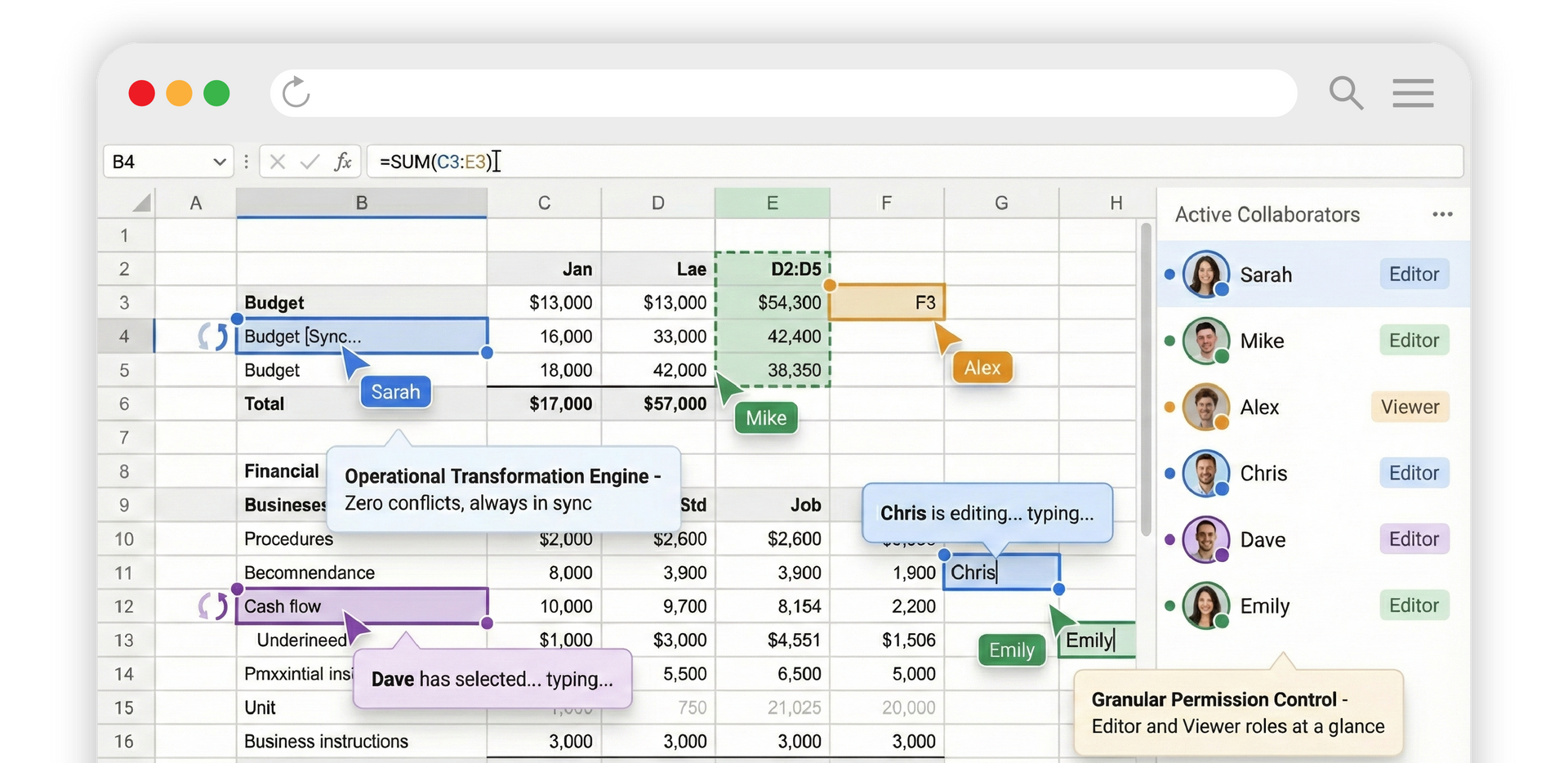
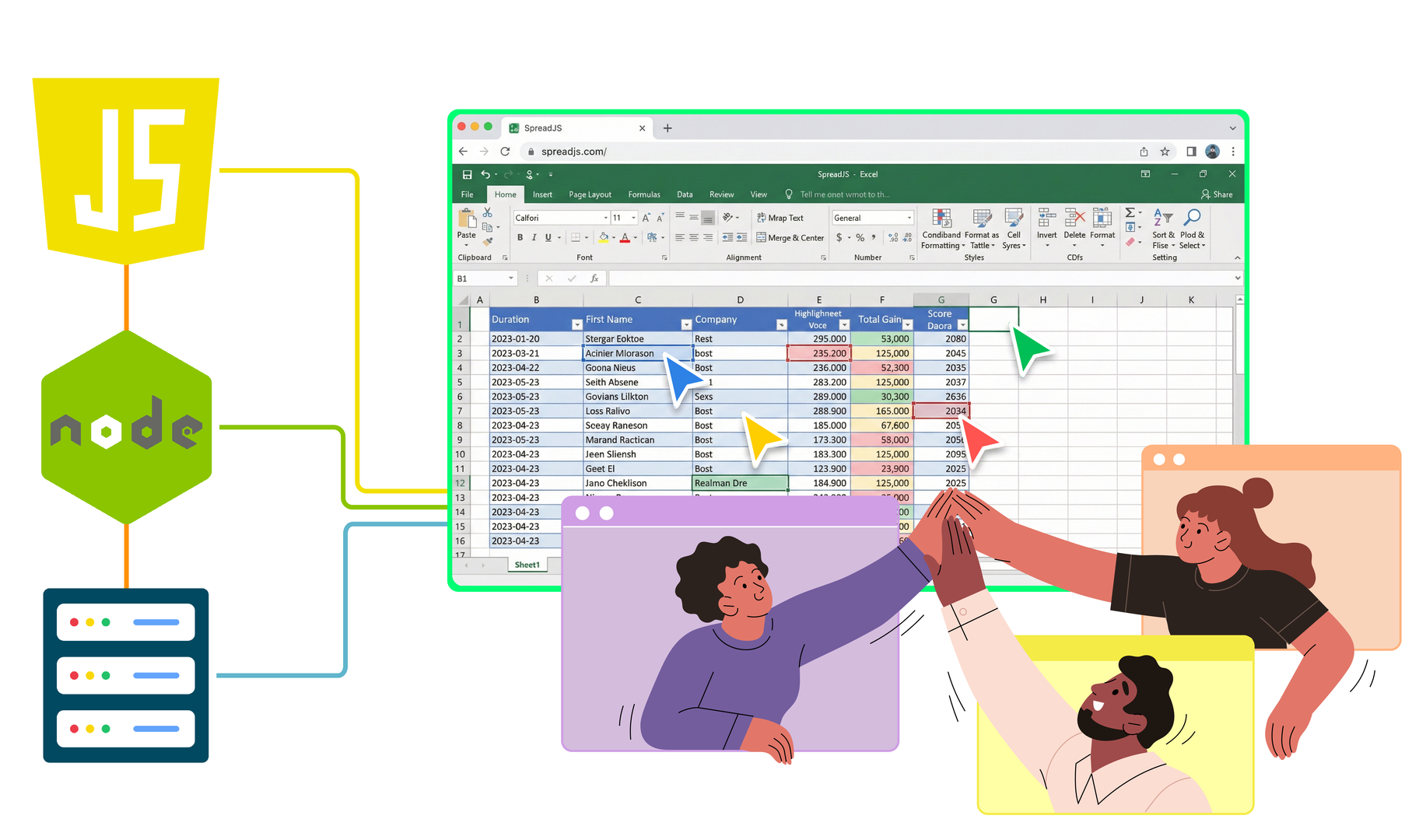
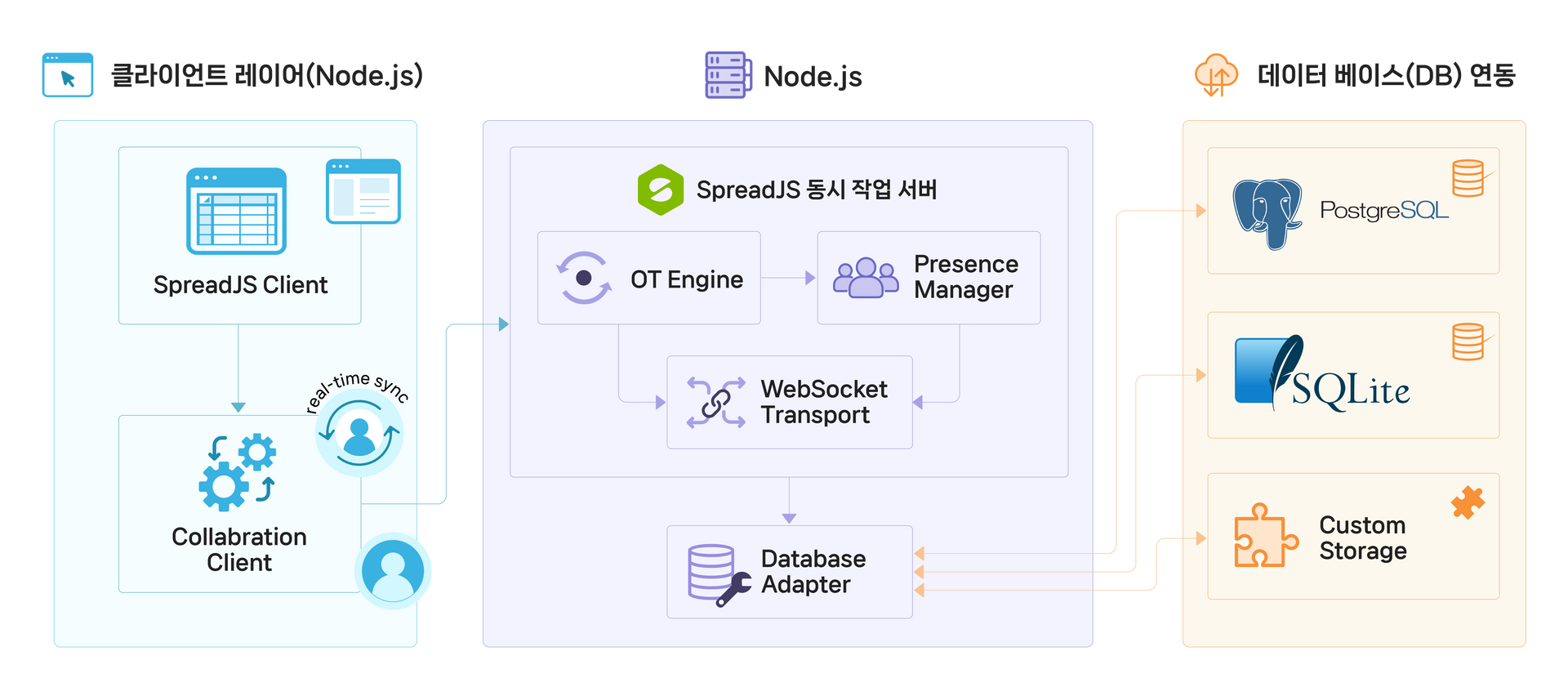
The SpreadJS Collaboration Server provides everything you need for enterprise-grade real-time Excel collaboration out of the box. It delivers collaboration modules including a ready-to-run Node.js server, client socket management, and synchronization logic, ensuring complete Excel synchronization, conflict control, and seamless collaboration.

Real-Time Excel Synchronization
The SpreadJS Operational Transformation (OT) engine intelligently auto-merges concurrent edits from multiple users without conflicts.

Precise User Tracking
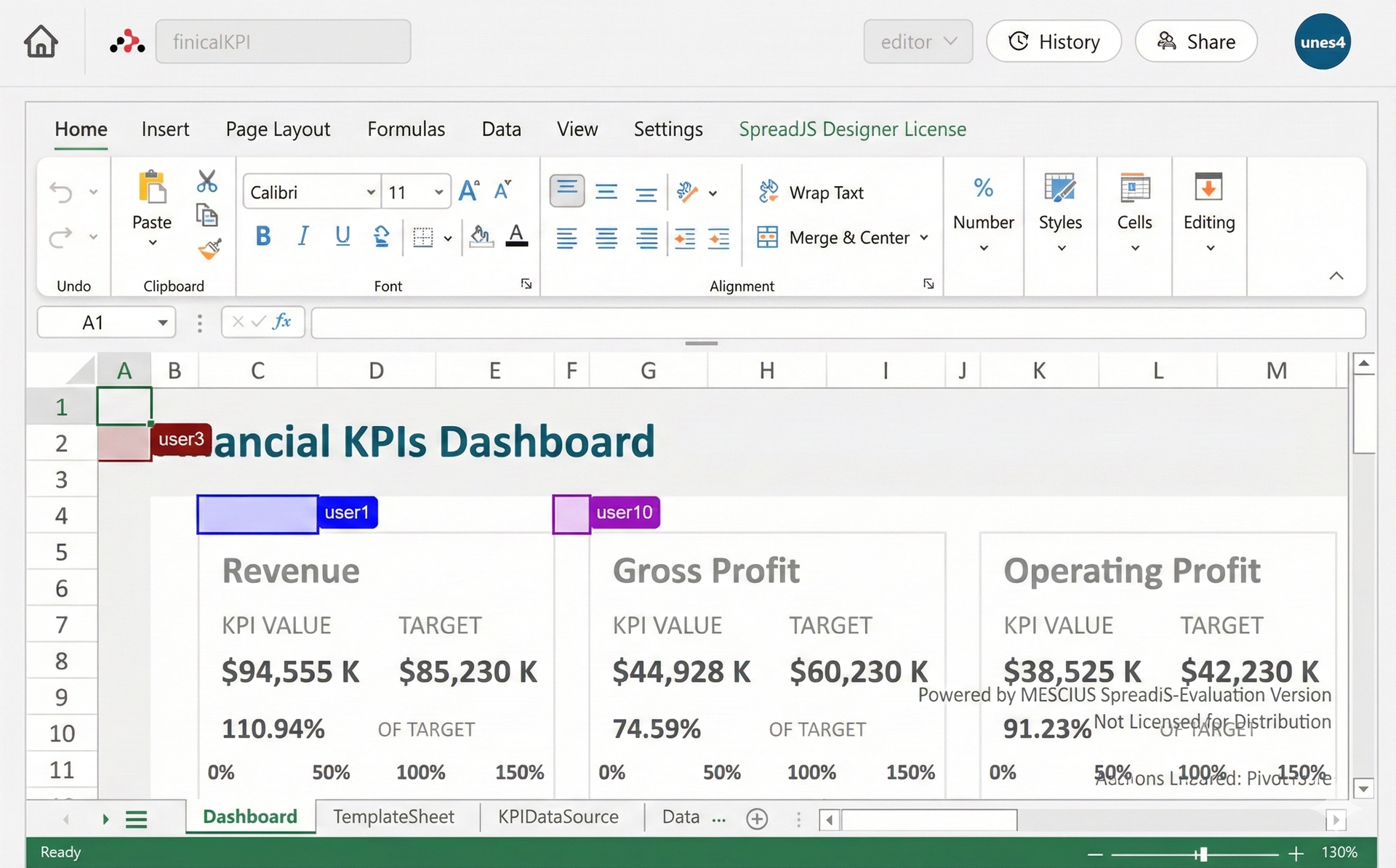
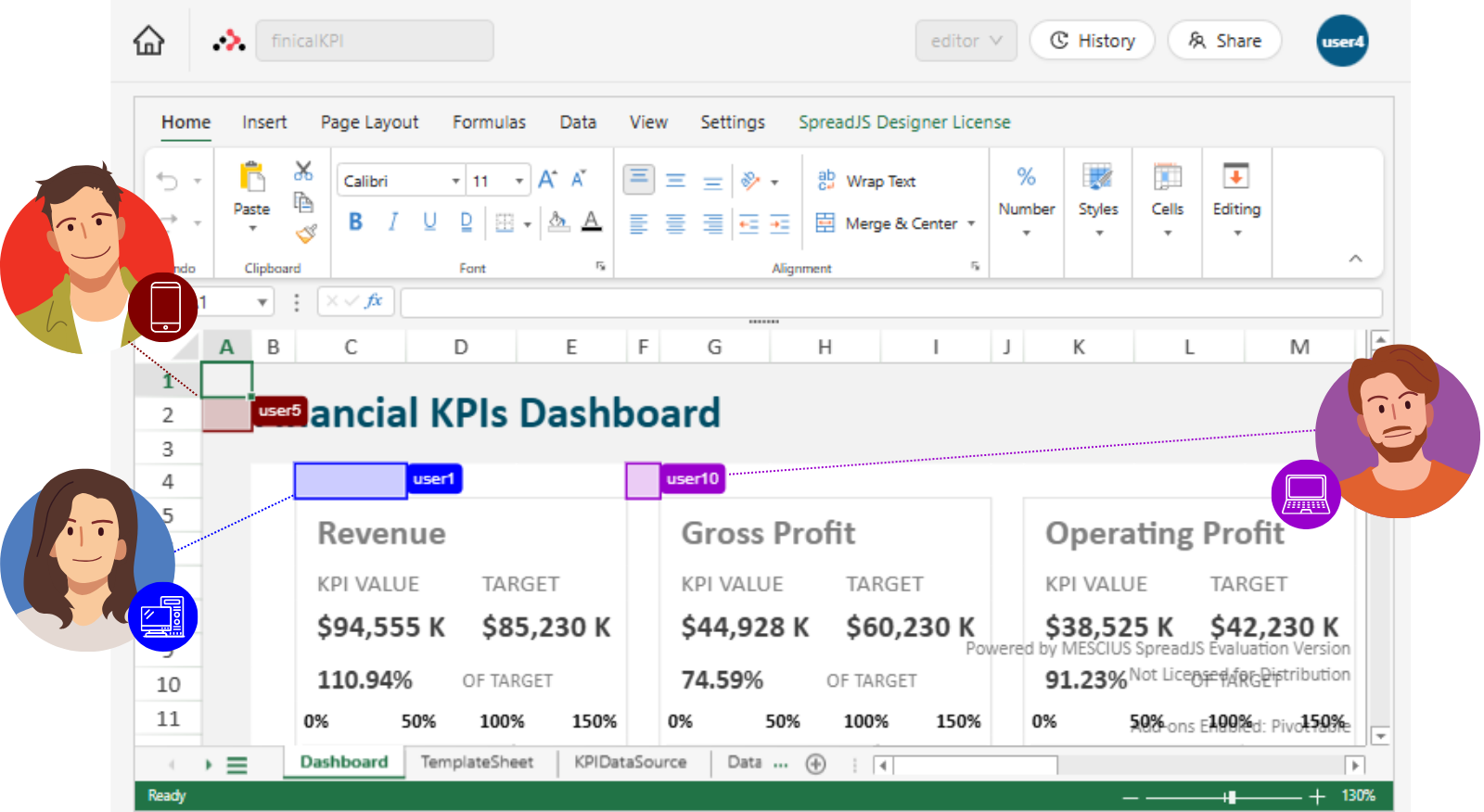
Visualize each user's cursor position, selection range, and editing status in real time.

Granular User Permission Control
Manage editing permissions at the user and cell level, with support for View/Edit modes and per-sheet access control.

Database (DB) Integration
Safely store user work via MemoryDB, Postgres, SQLite3, or a custom database adapter.

Auto-Reconnect Logic
Automatically reconnects to Excel workbooks and provides built-in session recovery logic to prevent data loss.

Flexible Collaboration Logic Customization
Supports middleware and Hook extension models, allowing developers to control Excel data flow through the server-side OT engine to fit their business needs.
Experience SpreadJS Collaboration Right Now
Try out the real-time Collaboration feature firsthand through a free trial and see everything it has to offer.




SpreadJS Real-Time Collaboration Online Demo & Video
Features available in the demo
Everything About SpreadJS Real-Time Collaboration
Experience the real-time Collaboration feature firsthand through videos and online demos!
- Real-time cell synchronization
- Per-user color cursor tracking
- OT-based automatic conflict resolution
- Auto-recovery on network disconnection
- Real-time activity history display
- Edit control by user permission
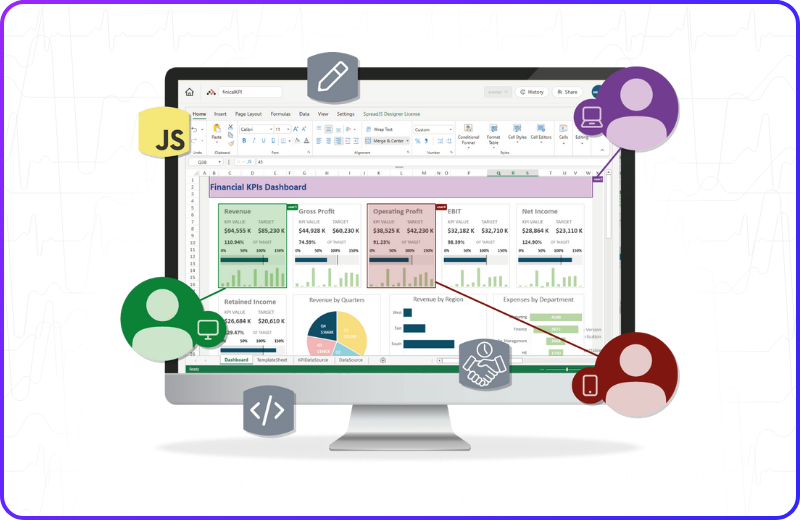
▲ 동영상 썸네일을 눌러 바로 영상을 확인해 보세요.
SpreadJS Collaboration Quick Start Guide
SpreadJS Real-Time Collaboration Quick Start Guide
Learn how to fully separate and independently deploy a Node.js WebSocket server and a static web client. Follow the Quick Start Guide to easily set up SpreadJS Collaboration in under 10 minutes!

Collaboration Server Settings

Collaboration Client Settings
🖥️ Collaboration Server 설정
프로젝트 생성 및 의존성 설치
백엔드 서버 디렉토리를 생성하고 필요한 패키지를 설치합니다. ES Module 사용을 위해 package.json에 "type": "module"을 반드시 추가해야 합니다.
 # 디렉토리 생성
mkdir collaboration-server
cd collaboration-server
npm init -y
 {
  "name": "collaboration-server",
  "version": "1.0.0",
  "type": "module",
  "scripts": {
    "start": "node ./server.js"
  },
  "dependencies": {}
}
 # 패키지 설치
npm install @mescius/js-collaboration @mescius/js-collaboration-ot
npm install @mescius/spread-sheets-collaboration
npm install @mescius/js-collaboration-presence
server.js 작성
WebSocket 서버 로직입니다. SpreadJS 협업 타입을 등록하고 문서 서비스를 초기화합니다.
 import http from 'http';
import { Server } from '@mescius/js-collaboration';
import * as OT from '@mescius/js-collaboration-ot';
import { type } from '@mescius/spread-sheets-collaboration';
import { DocumentServices, MemoryDb } from '@mescius/js-collaboration-ot';
import { presenceFeature } from '@mescius/js-collaboration-presence';

// SpreadJS collaboration 타입 등록
OT.TypesManager.register(type);

const httpServer = http.createServer();
const server = new Server({ httpServer });
const port = 8080;

//server.licenseKey = " ";

// 데이터베이스와 어댑터 초기화
const dbAdapter = new MemoryDb();
const docService = new DocumentServices({ db: dbAdapter });

// OT 문서 서비스를 구성합니다
server.useFeature(presenceFeature());
server.useFeature(OT.documentFeature(docService));

// 서버를 시작합니다
httpServer.listen(port, () => {
    console.log(`Collaboration server listening on port ${port}`);
});
서버 실행 (Run)
설정이 완료되었습니다. 먼저 DB를 초기화한 후 서버를 구동합니다.
TERMINAL
npm run start
🧑🏻💻 Collaboration Client 설정
프로젝트 생성 및 패키지 설치
클라이언트 프로젝트를 생성하고 SpreadJS 및 빌드 도구(Webpack)를 설치하고 package.json을 업데이트합니다.
 mkdir collaboration-client
cd collaboration-client
npm init -y
 {
  "name": "collaboration-client",
  "version": "1.0.0",
  "scripts": {
    "build": "webpack"
  },
  "dependencies": {}
}
 # SpreadJS 및 협업 클라이언트 패키지
npm install @mescius/spread-sheets @mescius/spread-sheets-collaboration-addon
npm install @mescius/js-collaboration-client @mescius/js-collaboration-ot-client
npm install @mescius/spread-sheets-collaboration-client
npm install @mescius/js-collaboration-presence-client

# Webpack 빌드 도구
npm install --save-dev webpack webpack-cli style-loader css-loader
클라이언트 코드 작성 (User-Based)
public/client.js를 생성합니다. 사용자별 동시 편집 식별을 위해 사용자 이름과 색상을 랜덤으로 생성하여 서버에 전달하는 로직이 추가되었습니다.
 import * as GC from '@mescius/spread-sheets';
import '@mescius/spread-sheets-collaboration-addon';
import { Client } from "@mescius/js-collaboration-client";
import * as OT from "@mescius/js-collaboration-ot-client";
import { type, bind, bindPresence } from '@mescius/spread-sheets-collaboration-client';
import { Presence } from "@mescius/js-collaboration-presence-client";
import "@mescius/spread-sheets/styles/gc.spread.sheets.excel2013white.css";

// SpreadJS 동시 작업 데이터 타입 등록
OT.TypesManager.register(type);

// ===== 중요: 실제 동시 작업 서버 주소로 수정 =====
// 로컬 개발 예시:
const SERVER_URL = "ws://127.0.0.1:8080";

// 운영 환경 예시:
// const SERVER_URL = "wss://collab.yourdomain.com";
// const SERVER_URL = "wss://your-app.herokuapp.com";

window.onload = async function () {
    // SpreadJS 워크북 초기화
    const workbook = new GC.Spread.Sheets.Workbook('ss');

    // 클라이언트 연결 생성 및 동시 작업 룸 참여
    const conn = new Client(SERVER_URL).connect('room1');
    const doc = new OT.SharedDoc(conn);
    const presence = new Presence(conn);

    // 연결 및 문서 동기화 오류 처리
    doc.on('error', (err) => console.error('Collaboration error:', err));

    // 서버에서 문서 상태 가져오기
    await doc.fetch();
    var seed = new Date().valueOf() + "";
    const user = {
        id: seed,
        name: "user" + seed,
        permission: {
            mode: GC.Spread.Sheets.Collaboration.BrowsingMode.edit,
        }
    }
    if (!doc.type) {
        // 초기 콘텐츠로 새 공유 문서 생성
        workbook.getActiveSheet().getCell(0, 0).value("default content");
        await doc.create(workbook.collaboration.toSnapshot(), type.uri, {});

        // 워크북을 공유 문서에 바인딩하여 실시간 동기화
        bindPresence(workbook, presence, user);
        bind(workbook, doc);
    } else {
        // 이미 공유 문서가 존재하는 경우 바인딩만 수행
        bindPresence(workbook, presence, user);
        bind(workbook, doc);
    }
};
public/index.html을 생성합니다. 빌드된 번들 파일(client.bundle.js)을 로드합니다.
 <!DOCTYPE html>
<html lang="ko">
<head>
    <meta charset="UTF-8">
    <meta name="viewport" content="width=device-width, initial-scale=1.0">
    <title>SpreadJS 실시간 동시 작업</title>
    <!-- Webpack으로 빌드된 스크립트 로드 -->
    <script src="./client.bundle.js"></script>
</head>
<body>
    <div id="ss" style="width:100vw; height:95vh; border:1px solid darkgray;"></div>
</body>
</html>
Webpack 구성 및 빌드
루트 디렉토리에 webpack.config.js를 생성하여 번들링 설정을 정의합니다.
 const path = require("path");

module.exports = {
  entry: "./public/client.js",
  output: {
    path: path.resolve(__dirname, "public"),
    filename: "client.bundle.js",
  },
  mode: "development",
  module: {
    rules: [
      {
        test: /\.css$/i,
        use: ["style-loader", "css-loader"],
      },
    ],
  },
};
클라이언트 실행 (Run)
Webpack으로 소스 코드를 번들링한 후, 정적 서버를 실행하여 브라우저에서 확인합니다.
TERMINAL
npm run build npx http-server ./public
SpreadJS 실시간 동시편집 기능 구축 완료!
이제 서버와 클라이언트가 완벽하게 분리된 협업 환경이 구축되었습니다.
여러 브라우저 창을 띄워 http://localhost:8080 (또는 설정한 포트)에 접속하면, 각 창마다 다른 색상의 커서가 나타나며 실시간으로 데이터가 동기화되는 것을 확인할 수 있습니다.
🖥️ 서버 설정 다시보기 →
🧑🏻💻 클라이언트 설정 다시보기 →
Next Step: Learn More
SpreadJS Collaboration Feature Extension Guide
Expand and develop Excel Collaboration features to meet the diverse requirements of your business.


Diverse Enterprise Business Features Powered by SpreadJS
Explore the Business Excel Add-Ons for SpreadJS
SpreadJS provides Excel-based features tailored to diverse enterprise business needs, enabling fast and efficient development of even the most complex business systems.

Excel Editor
Deliver a complete web Excel editor built on HTML5 and JavaScript to your end users.
-
Full Excel Compatibility A web editor that is fully compatible with existing Excel files.
-
Familiar UI/UX Excel menus and interface your users already know
-
Powerful Customization JS Excel library and API support for editor customization

AI Assistant
Maximize productivity with natural language formula generation and data analysis.
-
Multi-AI Model Support Connect with OpenAI, Gemini, Claude, and custom in-house AI
-
Natural Language Command Generate and explain Excel formulas and auto-build pivot tables
-
Excel AI Functions Dedicated AI function library for data analysis

Pivot Table
Quickly summarize large volumes of Excel data and extract insights.
-
Excel-Like Experience Bring the same pivot UI and usability as Excel to the web
-
JS Control Set Custom controls for pivot UI customization
-
View Manager Save and load per-user pivot analysis views

Gantt Sheet
Integrate project scheduling and resource management into your Excel sheet.
-
Project Management Full support for timescales, task bars, calendars, and more
-
Data Binding Easy data binding via DataManager
-
Flexible Compatibility Import/export support based on Excel and JSON

Report Sheet
Transform complex business data into dynamic Excel reports.
-
Dynamic Reporting JSON-based data binding and automatic report generation
-
Professional Styling Consistent report layouts with precise formatting
-
Advanced Analytics Cross-sheet references and data aggregation support

Data Chart
Visualize Excel data and create intuitive dashboards.
-
Dashboard Designer A dedicated designer for building Excel dashboards without coding
-
Diverse Charts Support for various Excel chart types with real-time data updates
-
Easy Binding Fast and simple JSON data connection via DataManager

Ask Anything!
Share your questions and concerns about SpreadJS with the MESCIUS expert team. We are here to listen and help.
Experience SpreadJS Collaboration Right Now
Check out a JavaScript spreadsheet framework where multiple users can collaborate in real time, just like Google Sheets and MS 365 Excel.